Network Security Tips for Small Businesses in St. Louis
Small Business, Big Target
If you think cybercriminals only target large corporations, think again. Small and medium-sized businesses are increasingly attractive targets because they often have valuable data but lack enterprise-level security resources.
At Flare Communications, we help St. Louis businesses implement practical, affordable security measures that significantly reduce risk. Here's what every small business should know about network security.
The Threat Landscape
St. Louis businesses face the same cyber threats as companies anywhere:
Ransomware: Malicious software that encrypts your files and demands payment for the decryption key. Ransomware attacks have crippled businesses of all sizes, causing data loss, downtime, and reputational damage.
Phishing: Deceptive emails that trick employees into revealing passwords, clicking malicious links, or downloading malware. Phishing remains the most common attack vector.
Data Breaches: Unauthorized access to customer data, financial information, or proprietary business data can result in legal liability, regulatory fines, and loss of customer trust.
Insider Threats: Not all threats come from outside. Disgruntled employees, careless practices, or compromised credentials can expose your network.
Essential Security Measures
1. Implement Strong Password Policies
Weak passwords remain one of the easiest ways for attackers to gain access:
- Require passwords of at least 12 characters with complexity requirements
- Implement multi-factor authentication (MFA) for all critical systems
- Use a business password manager to generate and store strong passwords
- Require password changes after any suspected compromise
- Never reuse passwords across different systems
2. Keep Everything Updated
Software vulnerabilities are constantly discovered and patched:
- Enable automatic updates for operating systems and applications
- Maintain an inventory of all software and ensure nothing is forgotten
- Replace unsupported software that no longer receives security updates
- Test updates in a controlled environment before widespread deployment
- Don't ignore those "update available" notifications
3. Secure Your Network Perimeter
Your network's edge is the first line of defense:
- Deploy a business-grade firewall (not just the one in your internet router)
- Implement intrusion detection and prevention systems
- Segment your network to isolate critical systems and limit breach impact
- Use a separate guest WiFi network that doesn't access your business systems
- Regularly review and update firewall rules
4. Protect Your WiFi
Wireless networks are convenient but create security challenges:
- Use WPA3 encryption (or WPA2 if WPA3 isn't available)
- Change default WiFi passwords and SSIDs
- Hide your SSID from broadcast (though this provides limited security)
- Implement MAC address filtering for additional control
- Consider using certificate-based authentication for employee devices
5. Backup Everything, Everywhere
Backups are your insurance policy against ransomware and data loss:
- Follow the 3-2-1 rule: 3 copies of data, on 2 different media types, with 1 copy offsite
- Automate backups so they happen consistently
- Test restoration regularly—backups are worthless if they don't work
- Keep at least one backup offline and disconnected from your network
- Encrypt backup data to protect it if storage media is lost or stolen
6. Train Your Team
Your employees are both your greatest vulnerability and your best defense:
- Conduct regular security awareness training
- Teach employees to recognize phishing attempts
- Establish clear procedures for reporting suspicious emails or activities
- Create a culture where security is everyone's responsibility
- Test employees with simulated phishing campaigns
7. Control Access
Not everyone needs access to everything:
- Implement role-based access control (RBAC)
- Follow the principle of least privilege—users get only the access they need
- Remove access immediately when employees leave
- Regularly audit who has access to what
- Use separate admin accounts for administrative tasks
8. Monitor and Log Activity
You can't protect what you can't see:
- Enable logging on all critical systems
- Implement security information and event management (SIEM) tools
- Review logs regularly for suspicious activity
- Set up alerts for critical events
- Retain logs for an appropriate period (check regulatory requirements)
The UniFi Advantage for Security
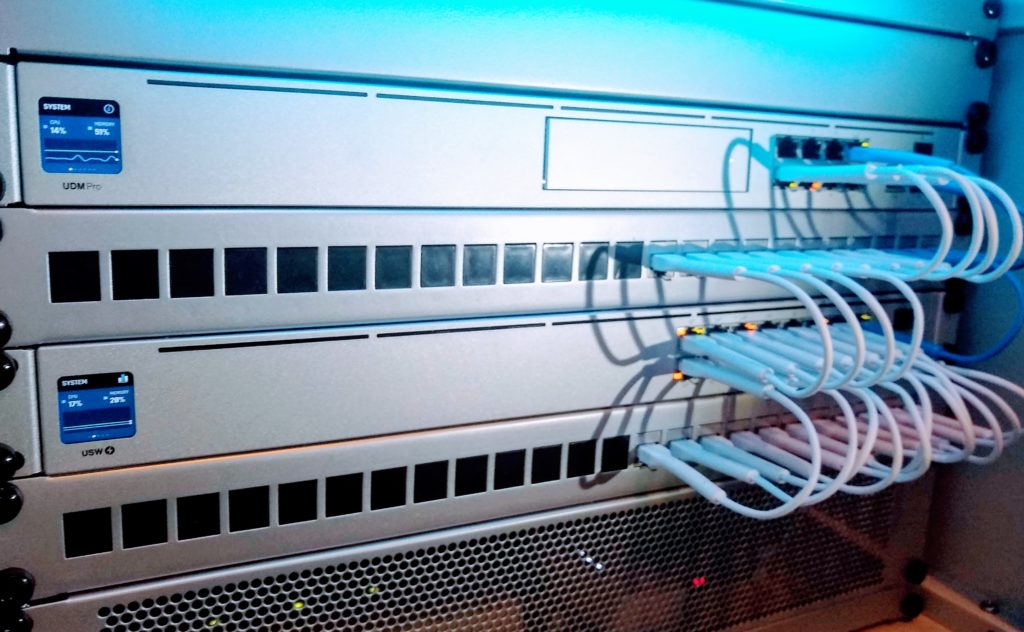
For businesses using Ubiquiti UniFi networking equipment, several built-in security features enhance protection:
Deep Packet Inspection: UniFi Security Gateways can inspect network traffic for threats and suspicious patterns.
Intrusion Detection/Prevention: Built-in IDS/IPS capabilities identify and block known attack signatures.
Traffic Analysis: The UniFi Controller provides detailed visibility into network traffic, making anomalies easier to spot.
VLAN Segmentation: Easy-to-configure VLANs allow you to isolate different parts of your network.
Guest Portal: Secure guest access keeps visitors off your business network.
Compliance Considerations
Depending on your industry, you may have regulatory security requirements:
HIPAA (Healthcare): Strict requirements for protecting patient data PCI DSS (Payment Cards): Standards for businesses that process credit cards GLBA (Financial Services): Requirements for protecting customer financial information
Even without specific regulatory requirements, implementing strong security demonstrates due diligence and can help limit liability in the event of a breach.
Managed Security Services
For many small businesses, maintaining comprehensive security in-house isn't practical. Managed security services provide:
- 24/7 monitoring and threat detection
- Regular security updates and patch management
- Incident response capabilities
- Compliance assistance
- Predictable monthly costs
Flare Communications offers managed IT services that include network security monitoring, ensuring your systems stay protected without requiring dedicated IT staff.
Creating a Security Plan
Effective security requires a systematic approach:
- Assess Your Current State: Identify what you're protecting and current vulnerabilities
- Prioritize Risks: Focus on the most critical assets and likely threats
- Implement Controls: Deploy technical and procedural safeguards
- Train Your Team: Ensure everyone understands their role in security
- Monitor and Respond: Watch for threats and have an incident response plan
- Review and Improve: Regularly reassess and update your security posture
The Cost of Doing Nothing
Many small businesses delay security investments until after an incident. Consider these statistics:
- 60% of small businesses that suffer a cyber attack go out of business within six months
- The average cost of a data breach for small businesses exceeds $200,000
- Ransomware attacks can cost weeks of downtime plus ransom payments
- Reputational damage from a breach can take years to overcome
Investing in security is far less expensive than recovering from an attack.
Get Started Today
Network security doesn't have to be overwhelming or prohibitively expensive. Start with the basics—strong passwords, regular updates, good backups—and build from there.
Flare Communications can assess your current security posture and recommend practical improvements that fit your budget and risk profile.
Protect your St. Louis business today. Call (636) 391-7530 or email [email protected] to schedule a security assessment.
Related Articles

Ready to Upgrade Your Network?
Contact Flare Communications for expert installation and support